macOS 13.0+ · Apple silicon & Intel

Lock your keyboard. Wipe in peace.

A tiny macOS utility that locks your keyboard and trackpad so you can wipe them clean without triggering input chaos.

One-time purchase

How it works

Three clicks from grimy to gleaming.

CleanMyMacKeyboard — Demo
Yes — that's the whole app. No, there isn't a step four.
  1. 1

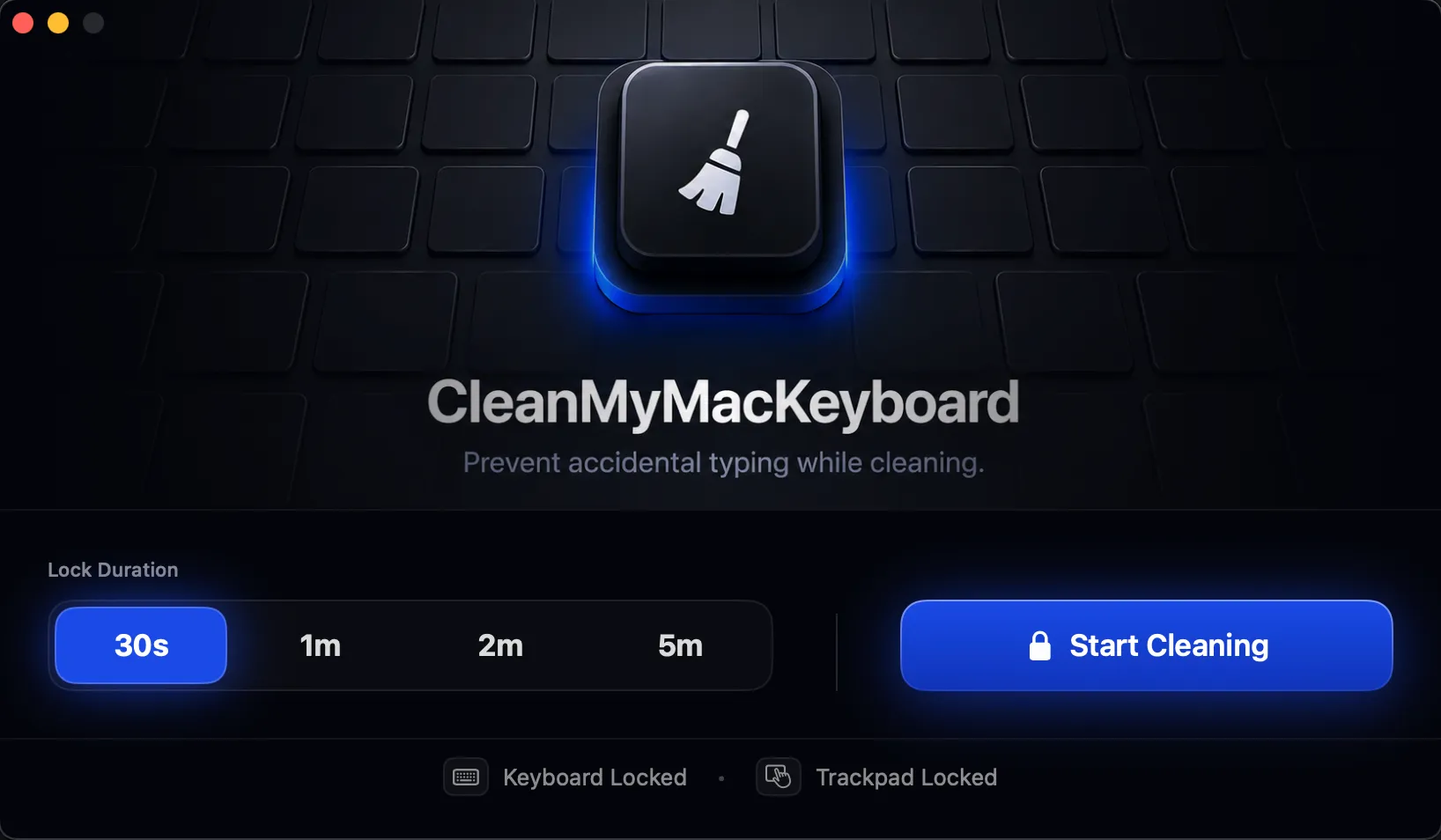
    Open the app

    One window. No setup, no preferences to dig through. Everything fits on one screen.

  2. 2

    Pick a duration, hit Start

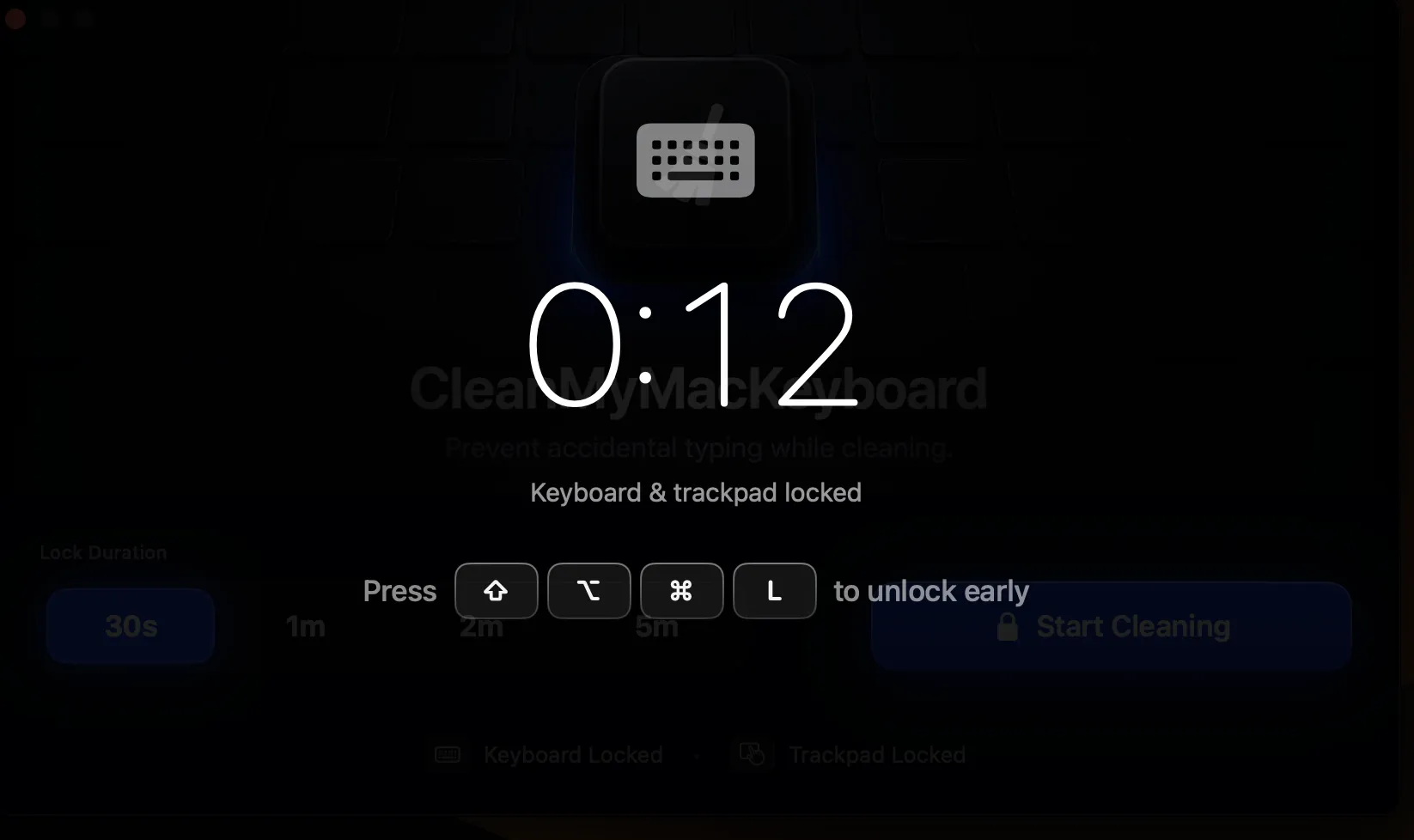
    Choose 30s, 1m, 2m, or 5m. A full-screen overlay drops in and your keyboard and trackpad go quiet.

  3. 3

    Wipe in peace

    Spray, scrub, polish. The lock releases on its own when the timer ends — or press ⇧⌥⌘L to unlock early.

Features

Built for one job.
Does it perfectly.

No bloat. No settings panel maze. Just the thing you need, when you need it.

Locks the keyboard

Every key press is intercepted and silenced. Type, scrub, scrub harder — nothing reaches your apps.

Locks the trackpad

Multi-touch gestures, clicks, and cursor movement — all paused while you wipe down the surface.

Pick your duration

Auto-unlocks when the timer ends.

30s 1m 2m 5m

Zero background drain

Sleeps when idle. Lighter than your menu-bar clock.

Privacy first

No telemetry. No analytics. No accounts. Sandboxed.

Apple-notarized

Signed with a Developer ID. Notarized by Apple. No Gatekeeper warnings.

Pricing

One price. One purchase. Done.

No subscription. No tiers. No upgrade nag every 12 months.

$4.99 USD · one-time
  • Lifetime license — pay once
  • Free updates forever
  • Activate on up to 3 Macs
  • Email support
  • Apple-notarized binary
Buy CleanMyMacKeyboard

Requires macOS 13.0 or later

FAQ

Questions, answered.

Will I lose work if I lock at the wrong time? +
No. Locking only intercepts input — it never quits or sleeps anything. Your apps keep running, your work is safe.
How do I unlock? +
The lock releases automatically when your chosen duration ends (30s, 1m, 2m, or 5m). There's also an emergency-unlock combo and a 30-second safety failsafe.
Does it work on external keyboards and trackpads? +
Yes. Any HID input device connected to your Mac is covered — built-in or external, wired or Bluetooth.
Can I use my license on multiple Macs? +
Yes. One license activates on up to 3 of your Macs. The limit is enforced at activation — if you need more, email steven.gustavo.lara@gmail.com and we can bump it.
What happens if I hit the 3-Mac activation limit? +
The app will tell you on activation: "This license is active on 3 Macs already." To free a slot, open the app on the Mac you're no longer using and choose "Deactivate this Mac" — then activate the new one. If the old Mac is gone, email support and we'll release the slot for you.
Is my data collected? +
Nothing leaves your Mac except update checks. No analytics, no telemetry, no accounts. The license check pings Lemon Squeezy once a day with your license key — that's it.
Will there be a Mac App Store version? +
Maybe later. Direct sale lets us ship updates the moment they're ready — no App Review delay, no 30% cut. We may add an App Store version once the direct version is stable.